Inside Tasty Station: Engineering an Enterprise Restaurant POS & KDS on the MERN Stack
A deep architectural breakdown of Tasty Station — ACID order transactions, sub-15ms Redis caching, real-time Kitchen Display sync via Socket.io, and Gemini AI assistant integration.
Most restaurant Point of Sale (POS) demos show little more than a polished menu grid and a generic checkout button. But in production, the hardest challenges in restaurant software happen behind the counter:
- What happens when two cashiers update or ring up the same table simultaneously during a peak lunch rush?
- What happens when a dish price increases next week—does that alter or corrupt the historical revenue statements from last month?
- How does the kitchen display receive order tickets the millisecond an order is placed without constantly hammering the database with polling requests?
- How do you safeguard authentication on shared physical terminals touched by multiple staff members throughout a busy shift?
Tasty Station was engineered to solve those exact operational challenges. It is an enterprise-grade restaurant management platform, Point of Sale (POS), and real-time Kitchen Display System (KDS) built on the MERN stack (MongoDB, Express, React, Node.js), supercharged with Redis caching, Socket.io event streaming, and Google Gemini AI.
The application is live at tastystation.vercel.app and the source code is on GitHub.
1. System Overview & Architecture
Tasty Station is an end-to-end operations engine powering both front-of-house (cashiers, waitstaff, hosts) and back-of-house (chefs, kitchen expediters, store managers).
The platform uses a hybrid Layered REST + Event-Driven WebSocket architecture. High-frequency reads are intercepted by a Redis cache-aside layer, financial mutations run inside atomic multi-document transactions, and cross-terminal state updates broadcast instantly through WebSockets.
┌────────────────────────────────────────────────────────────────────────┐
│                              CLIENT LAYER                              │
│       Desktop POS Terminal   │   Mobile / Tablet PWA   │   KDS Screen  │
└───────────────────────────────────┬────────────────────────────────────┘
                                    │ HTTPS (REST) & WSS (Socket.io)
                                    ▼
┌────────────────────────────────────────────────────────────────────────┐
│                        FRONTEND (React 19 + Vite)                      │
│   Zustand Stores (12)  │  Framer Motion  │  Tailwind v4  │  PWA Worker │
└───────────────────────────────────┬────────────────────────────────────┘
                                    │
                                    ▼
┌────────────────────────────────────────────────────────────────────────┐
│                        BACKEND API (Express v5)                        │
│   Rate Limiter ──► Logging Pipeline ──► JWT Auth Guard ──► Redis Cache │
│                                │                                       │
│                       Controllers & Business Logic                     │
└───────┬───────────────────────────┼───────────────────────────┬────────┘
        │                           │                           │
        ▼                           ▼                           ▼
┌───────────────┐           ┌───────────────┐           ┌───────────────┐
│   DATABASE    │           │     CACHE     │           │  REAL-TIME    │
│ MongoDB Atlas │           │  Redis Cloud  │           │   Socket.io   │
│(ACID Sessions)│           │ (Read-Through)│           │  (Broadcast)  │
└───────┬───────┘           └───────────────┘           └───────┬───────┘
        │                                                       │
        │                       EXTERNAL SERVICES               │
        ├───────────────────────────┬───────────────────────────┤
        ▼                           ▼                           ▼
┌───────────────┐           ┌───────────────┐           ┌───────────────┐
│  Cloudinary   │           │ Google Gemini │           │ Vercel Edge   │
│ (Image CDN)   │           │ (Flash Model) │           │ (Hosting)     │
└───────────────┘           └───────────────┘           └───────────────┘
The system is delivered as a single unified React 19 application with route-level access control. Cashier and kitchen views are bundled for instant startup at the counter, while heavy administrative tools (reporting, staff management, menu configuration) are loaded lazily on demand.
2. The Order Management System: Built for Financial Truth
The core of any POS is how it processes and records customer transactions. In a busy venue, an order is never just a simple database write—it touches inventory deductions, customer loyalty stats, table occupancy, kitchen alerts, and accounting ledgers.
Eliminating "Financial Drift" with ACID Transactions
A common failure mode in poorly designed POS software is financial drift: an order is saved, but the customer profile update fails; or a payment logs, but the order record itself encounters an error. At the end of an eight-hour shift, the register drawer and the digital accounting records will not balance.
Tasty Station prevents this by executing every order write inside an atomic database transaction. Either every single operation succeeds together, or the entire batch rolls back completely:
- Customer Profile Resolution: The system looks up the customer by phone number or creates a fresh profile record.
- Server-Side Price Recalculation: The server re-fetches each selected dish directly from the database, calculating the true total server-side. This ensures client-side cart tampering cannot alter prices.
- Atomic Order Creation: The order record is written with a unique tracking identifier, itemized lines, and payment metadata.
- Customer Spend Increment: The customer's cumulative lifetime spend and order history references are updated simultaneously.
- Table State Binding: For dine-in orders, the chosen dining table is immediately marked as occupied and linked to the active ticket.
If any network hiccup or validation issue interrupts this sequence, the database aborts the transaction cleanly, leaving no orphaned data or mismatched figures.
Point-in-Time Snapshotting
In a relational or document database, it is tempting to simply reference a menu item's database ID inside an order. However, if a restaurant raises the price of a burger next month from $12 to $15, recalculating historical totals from past orders would corrupt tax filings and previous monthly revenue figures.
Tasty Station guarantees audit compliance through point-in-time snapshotting. When an order is placed, the exact dish name, unit price paid, tax rate applied, and customer contact details are copied directly into the order record as immutable values. Even if a dish is renamed, repriced, or deleted from the catalog tomorrow, historical transactions remain 100% accurate forever.
The Cashier Experience
The front-of-house cashier terminal is engineered for rapid keystrokes and minimal taps:
- Cart Management: Support for dish variants (sizes, toppings), custom spice levels, and special kitchen notes.
- Automated Calculations: Automatic subtotal, discount policy application, and percentage tax computation.
- Receipt Printing: Instant receipt slip formatting rendered directly to thermal printers without third-party drivers.
- Payment Versatility: Supports Cash, Credit/Debit Card, and Online payment methods with immediate drawer tracking.
3. Dynamic Floor Plan & Table Management
Managing dine-in traffic requires complete visibility into table availability, party sizes, and customer reservations across different restaurant areas.
Zone-Based Floor Layouts
Tasty Station organizes dining areas into configurable spatial zones—such as the Main Dining Room, Outdoor Patio, Bar Counter, and Private Dining Rooms. Each table carries specific operational attributes:
- Seating Capacity: Minimum and maximum guest counts to help hosts optimize party placement.
- Assigned Staff: The specific server or waiter designated to care for that section during the current shift.
- Active Order Link: Direct reference to the active dine-in ticket so staff can pull up a table's running bill with a single tap.
The Tri-State Occupancy Lifecycle
Every table moves through three primary lifecycle states:
- Available (Green): The table is cleaned, reset, and ready to seat walk-in guests or immediate arrivals.
- Occupied (Amber): Guests are seated, an active order is bound to the table, and dining service is underway. The table cannot be assigned to another party until the active bill is marked completed.
- Reserved (Blue): The table is committed to an upcoming booking, displaying guest names, party count, reservation time, and special requests.
Intelligent Reservation Workflow
When a host reserves a table, the system accepts the customer's phone number, reservation date, guest count, and dining notes. If the customer is new, a customer profile is automatically generated behind the scenes. If they are a returning regular, their dining preferences and past booking history are immediately visible to the host staff.
Once guests arrive and are seated, one tap transitions the table from Reserved to Occupied, seamlessly carrying guest details into the new POS order.
4. Real-Time Kitchen Display System (KDS)
In high-volume kitchens, paper tickets get lost, stained, or misordered, and polling a web server for new tickets introduces latency that slows down food prep.
Tasty Station replaces physical tickets with a synchronized digital Kitchen Display System connected directly to the POS terminals via WebSockets.
[Cashier Terminal]                  [Backend API]                    [Kitchen Display]
        │                                 │                                  │
        │─── Submits Order ──────────────►│                                  │
        │                                 ├── Commits Atomic DB Transaction  │
        │                                 │                                  │
        │                                 │─── Emits "newOrder" ────────────►│
        │◄── Order Confirmed ─────────────│                                  ├── Plays Audio Chime
        │    (Receipt Ready)              │                                  ├── Adds Live Ticket to Queue
        │                                 │                                  │
        │                                 │◄── Taps "Preparing" ─────────────│ (Chef starts dish)
        │                                 │                                  │
        │◄── Emits "orderStatusUpdate" ───│──────────────────────────────────│
        │    (Ticket Badge: Amber)        │                                  │
The Kitchen Ticket Lifecycle
When an order is confirmed at the checkout counter, the backend commits the database write and immediately broadcasts an event across the persistent WebSocket channel:
- New Order Ticket: The ticket materializes on the kitchen screen in less than 50 milliseconds, accompanied by an audible chime.
- Status Progression: As kitchen staff prepare the meal, they tap status buttons directly on touchscreens:
Pending(Ticket received, waiting for chef)Preparing(Meal is currently being cooked)Ready(Plated and waiting for waitstaff pickup)Completed(Delivered to table or handed to customer)
- Instant FOH Synchronization: Every status transition immediately broadcasts back to the cashier dashboard and server tablets. Floor staff see table badges shift from red to amber to green in real time without refreshing their screens.
- Queue Optimization: Kitchen tickets are sorted by order time and preparation priority, ensuring high-prep dishes are started early and customer wait times stay balanced.
5. High-Performance Caching with Redis
In a typical dinner rush, hundreds of requests query the dish catalog, category listings, and pricing rules. These reads are heavy, yet menu items rarely change in the middle of a service.
Tasty Station places a Redis read-through cache in front of the database for all menu queries:
- Sub-15ms Read Latency: A standard database query typically requires 120ms to 180ms depending on network distance. Redis answers cached menu requests in roughly 12 milliseconds, freeing up database connections for order writes.
- Non-Blocking Pattern Invalidation: When an administrator edits a price, disables an out-of-stock item, or creates a new category, all matching cached menu queries must be flushed immediately. Rather than running dangerous commands that lock the Redis thread, Tasty Station scans keys incrementally in batches, removing stale entries safely without performance degradation.
- Fail-Safe Resilience: If the Redis instance experiences a network disconnection, the application catches the event cleanly and passes requests directly to MongoDB. Service continues without disruption.
6. Inventory Intelligence & Reorder Thresholds
A sudden shortage of a signature ingredient mid-rush can disrupt kitchen operations. Tasty Station connects menu consumption directly to back-of-house stock tracking:
- Stock Level Tracking: Tracks raw ingredients and items with metric units (kilograms, liters, portions, packs).
- Automated Reorder Thresholds: Every inventory item includes a designated minimum safe level. When stock dips below this threshold, automated warnings flag the item across the dashboard.
- Supplier & Cost Tracking: Records unit costs and supplier information, enabling the system to calculate real-time Cost of Goods Sold (COGS) against gross revenue.
7. Terminal Security & Role-Based Access Control
Restaurant hardware is inherently collaborative and semi-public. Multiple employees operate the same touchscreen throughout the day, and terminals face customer counters.
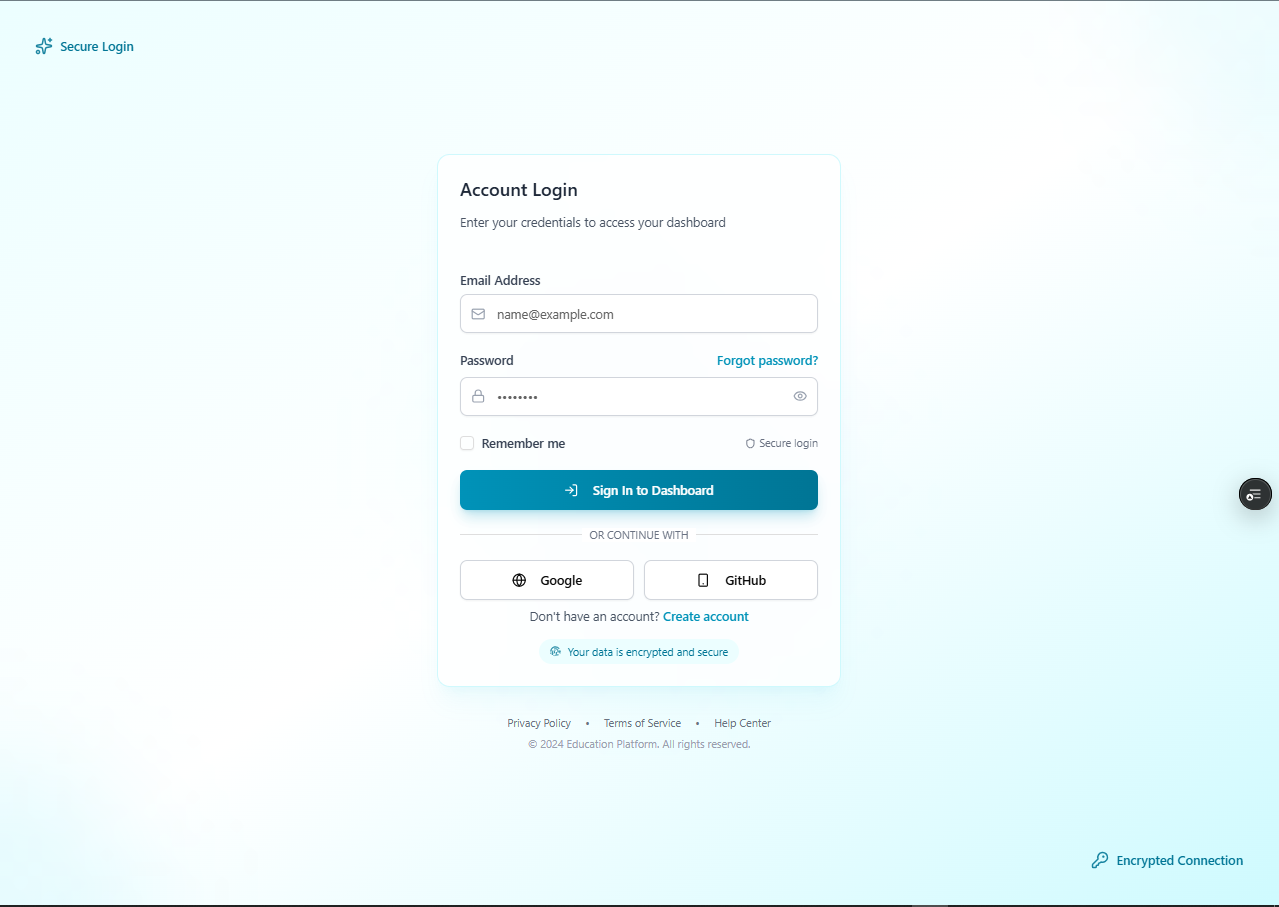
The Six Operational Roles
Tasty Station enforces strict operational boundaries to prevent unauthorized discounts, voided orders, or credential leaks:
- Admin: Complete access to financial reporting, staff account creation, system configuration, and menu controls.
- Manager: Authority to approve discounts, review inventory levels, manage table layouts, and audit daily sales.
- Cashier: Dedicated access to the POS order terminal, cart checkout, customer lookups, and receipt printing.
- Waiter: Fast access to the floor plan for table seating, taking dine-in orders, and checking dish preparation status.
- Kitchen Staff: Streamlined access focused exclusively on the Kitchen Display System (KDS) order feed.
- Client: Customer-facing profile view tracking personal purchase history, reward points, and table bookings.
Enterprise Defense Measures
- HttpOnly Cookie Architecture: Authentication tokens are stored inside strict
HttpOnlycookies that client-side JavaScript cannot access, preventing token theft through Cross-Site Scripting (XSS). - Brute-Force Rate Limiting: Rate limiters restrict authentication attempts to 100 requests per 15 minutes per IP address, stopping automated credential guessing.
- PIN-Based Quick Switching: Staff can toggle shifts or unlock terminals quickly using a four-digit security PIN, avoiding cumbersome email logins during busy rushes.
- Sanitized Data Serialization: Backend queries automatically exclude password hashes and internal credentials before serializing responses to the frontend.
8. Executive Analytics & The Gemini AI Assistant
Restaurant operators need immediate clarity on how their business is performing without waiting for end-of-month accounting spreadsheets.
Real-Time Financial Intelligence
- Sales Trends: Interactive visual charts tracking hourly sales spikes, daily revenue, and weekly comparisons.
- Profit & Loss (P&L) Calculations: Automatically offsets raw ingredient costs (COGS) against gross receipts to surface true operating margins.
- Cashier Drawer Reconciliation: Groups revenue collections by staff member and payment type, ensuring cash drawers balance against digital logs.
- Top-Performing Dishes: Identifies high-margin menu items and popular customer favorites to guide menu engineering.
Context-Aware AI Copilot
Rather than integrating a generic AI chatbot that only answers canned prompts, Tasty Station embeds a floating assistant powered by Google Gemini that is grounded in live restaurant data.
When a manager or cashier asks a question (such as "How are our sales looking today, and what ingredients need restocking?"), the backend runs real-time aggregation queries across today's orders and inventory items. It injects these live figures—today's completed revenue, order volume, and low-stock ingredient lists—directly into the AI's prompt context.
The assistant returns concise, accurate, and actionable operational guidance in seconds, giving managers a conversational window into their business metrics.
9. Offline Resilience & Progressive Web App (PWA)
Network reliability in restaurants is notoriously unpredictable. Microwaves, concrete walls, and peak neighborhood internet congestion can cause momentary Wi-Fi drops.
Tasty Station incorporates a Progressive Web App (PWA) strategy powered by an automated background service worker:
- App Shell Caching: All application layouts, component scripts, stylesheets, and icons are cached locally on device storage.
- Zero White-Screen Outages: If the internet connection drops mid-service, the POS terminal remains active and responsive. Cashiers can continue navigating menus, reviewing table arrangements, and viewing orders without the browser crashing to an offline error page.
- Native Tablet Installation: The application can be installed directly to home screens on iPads, Android tablets, and dedicated POS terminals, providing a full-screen, native-app feel.
10. Key Engineering Takeaways
Building Tasty Station reinforced fundamental architectural principles for mission-critical web applications:
- Financial Operations Demand True Atomicity: Eventual consistency is insufficient for transactional checkout systems. Atomic multi-document transactions ensure that cash drawers, inventory deductions, and order histories reconcile accurately down to the cent.
- Preserve Point-in-Time Reality: Relational data references are powerful, but financial ledgers must snapshot prices, names, and tax rates at the exact moment of sale to guarantee permanent audit reliability.
- WebSockets Beat Polling for Operations: Event-driven push notifications deliver sub-50ms responsiveness to kitchen staff while drastically reducing server CPU load and database bandwidth.
- Context Makes AI Practical: Generative AI is significantly more valuable when grounded in live, domain-specific application data rather than isolated chat prompts.
Tasty Station combines the rapid interactivity of modern React interfaces with the durability, security, and precision required of an enterprise transactional platform.
Testing Credentials :
- Email : admin@me.com
- Password: [PASSWORD]
- The restaurant is already configured with sample data
Experience the project live at tastystation.vercel.app or review the repository on GitHub.